eph: Give every worktree its own services
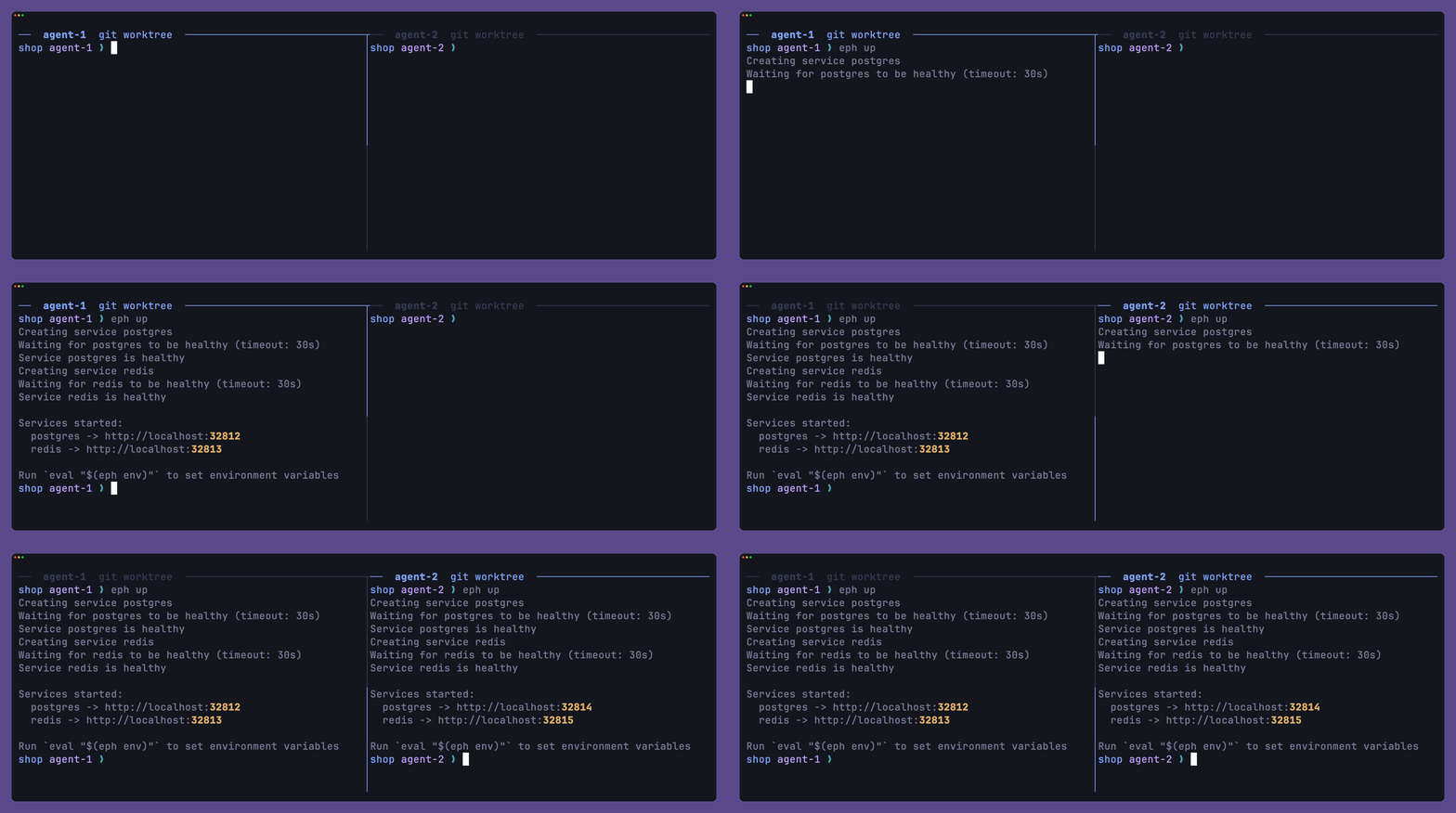
.eph file. Each eph up gets its own Postgres and Redis on its own ports.At Attune, we build and run our own software factory, and we've built factories for a few other YC companies as well. One problem we kept hitting: coding agents stepping on each other's services. If you run several coding agents on your own machine or a dev box, this post is for you. If every agent in your factory runs in its own isolated cloud instance, you sidestep the problem entirely, and this post probably won't interest you much.
A lot of what we build is for macOS and iOS, and when we started, cloud macOS sandboxes weren't really available, especially ones with fast and reliable iOS simulators. We also couldn't find hosted macOS CI runners without long queues. So we bought some Mac Studios, ran our coding agents on them, and moved as much of our verification and CI onto them as we could.
It worked well, so we kept going. Today, each box runs many agents concurrently, each in its own git worktree.
Worktrees gave each agent its own copy of the code, but they all shared one Docker, and every worktree wanted Postgres on 5432. Sometimes that kept a new agent from starting. Other times, several agents ended up writing to the same database and broke each other's migrations and test data.
Docker Compose gets you most of the way if you give each worktree its own project name and let Docker pick the ports. But something still has to choose those names, copy the ports into env vars, and clean up after worktrees that are long gone. We didn't want agents doing that bookkeeping mid-task, and we didn't want to maintain the scripts that would. So we built eph, a .env file for services. It's a single Rust binary that runs on top of the Docker you already have.
How it works
You list your services in a .eph file:
[postgres]
image=postgres:16-alpine
# Port inside the container. Docker picks a free host port for each worktree.
port=5432
env.POSTGRES_PASSWORD=dev
env.POSTGRES_DB=app
healthcheck=pg_isready -U postgres

[redis]
image=redis:7-alpine
port=6379
healthcheck=redis-cli ping

[env]
DATABASE_URL=postgres://postgres:dev@localhost:${postgres.port}/app
REDIS_URL=redis://localhost:${redis.port}Then each worktree runs:
eph up
eval "$(eph env)"Every worktree gets its own containers and volumes, and eph up waits until each service passes its health check. Docker picks the host ports, and eph env puts them into your connection strings, so the same file works in every worktree.
A couple of other things help when agents are the ones driving:
eph skills installadds a skill to your repo, so Claude Code and Codex already know how to use eph. With Claude Code, you can also start your databases in a SessionStart hook, so they're already running andDATABASE_URLis set in the agent's shell commands from the start.- Agents leave a lot of worktrees behind, and
eph system prunecleans up after them. Internally we mostly runeph system prune --yolo, which also removes the containers and data volumes of worktrees whose branch has been merged into the default branch or that no eph command has touched in 12 hours, even if their containers are still running. It lists what it will remove and asks before deleting anything.
Try it
On macOS or Linux:
curl -sSfL \
  https://raw.githubusercontent.com/attunehq/doteph/main/scripts/install.sh \
| bashOn Windows, use the PowerShell installer. The docs cover everything else, including running your app itself with eph dev.
It's still early, so expect rough edges. If you run a lot of agents on one machine, give it a try and tell us what breaks, in a GitHub issue or at team@attunehq.com.
About Attune
Attune is an applied AI company reimagining how people buy, sell, and rent homes. eph is not a product we sell; we built it for our own engineering work and are releasing it because we think it can help other teams. You can see more of what we are working on here.